How to Perform Weekly Fire Alarm Tests: A Simple Guide
Fire alarm systems are a critical part of any building’s safety infrastructure. To ensure they work when needed most, weekly testing is not just recommended—it’s a legal and safety requirement. This guide explains how to carry out a basic weekly fire alarm test, even if you’re not a technical expert.
Why Weekly Fire Alarm Testing Matters
According to BS 5839-1:2025, the British Standard for fire alarm systems in non-domestic buildings, weekly testing helps:
- Confirm the system is operational.
- Identify faults early.
- Ensure sounders and call points are working.
- Maintain compliance with fire safety regulations.
Who Should Do the Test?
Weekly tests can be carried out by a responsible person—this could be a building manager, facilities staff, or anyone trained in basic fire safety procedures. You don’t need to be an engineer or technician.
What You’ll Need
- Access to the fire alarm control panel. `code or access key
- A test key or device to activate a manual call point (break glass unit).
- A logbook or digital system to record the test.
Step-by-Step: How to Perform a Weekly Fire Alarm Test
1. Inform Occupants
Let everyone in the building know that a test is about to take place. This avoids unnecessary panic or evacuation. I really the test should take place the same time each week.
2. Notify the Alarm Receiving Centre (ARC)
If your fire alarm system is monitored by an ARC, you must put the system on test before activating it. This prevents false alarms from being escalated to emergency services.
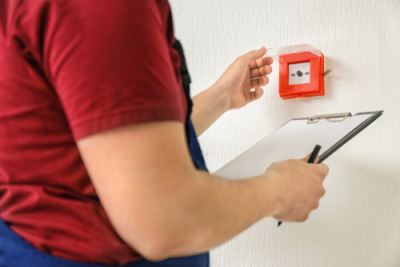
3. Test a Manual Call Point (Break Glass Unit)
It is advisable, where practical, to rotate the call point tested each week. This helps ensure all devices are checked over time. However, in large buildings with many call points or where access to the control panel is distant, this may not be feasible every week. In such cases, choose a conveniently located call point that allows safe and efficient testing without leaving the alarm sounding for an extended period.
4. Activate the Call Point
Use your test key or device to trigger the alarm from the selected call point. The alarm should sound throughout the building.
Tip: Once the Call point has triggered usually indicated with a red light you can reset it by removing the test key and re-insting its position.
5. Check the Control Panel
Ensure the panel correctly identifies the zone or location of the activated call point. Look for any fault indicators.
6. Reset the System
After confirming the alarm works, reset the system using the control panel.
7. Notify the ARC Again
If the system is monitored, contact the ARC to confirm the test is complete and the system is back online.
8. Log the Test
Record the date, time, location of the tested call point, and the name of the person who performed the test. Note any issues or faults.
What If Something Doesn’t Work?
If the alarm doesn’t sound, the panel shows a fault, or a call point doesn’t activate:
- Report the issue immediately.
- Contact your fire alarm maintenance provider.
- Do not delay repairs—this could put lives at risk.
Need Help?
If you’re unsure how to carry out the test or need support with fire alarm maintenance, consult i Security or refer to the FIA’s guide to BS 5839-1:2025.
Final Tip
If your building operates across multiple shift patterns, consider varying the time of your weekly tests. This ensures that all personnel, regardless of shift, are familiar with the sound of the fire alarm and know how to respond appropriately.